This Content Is Only For Subscribers
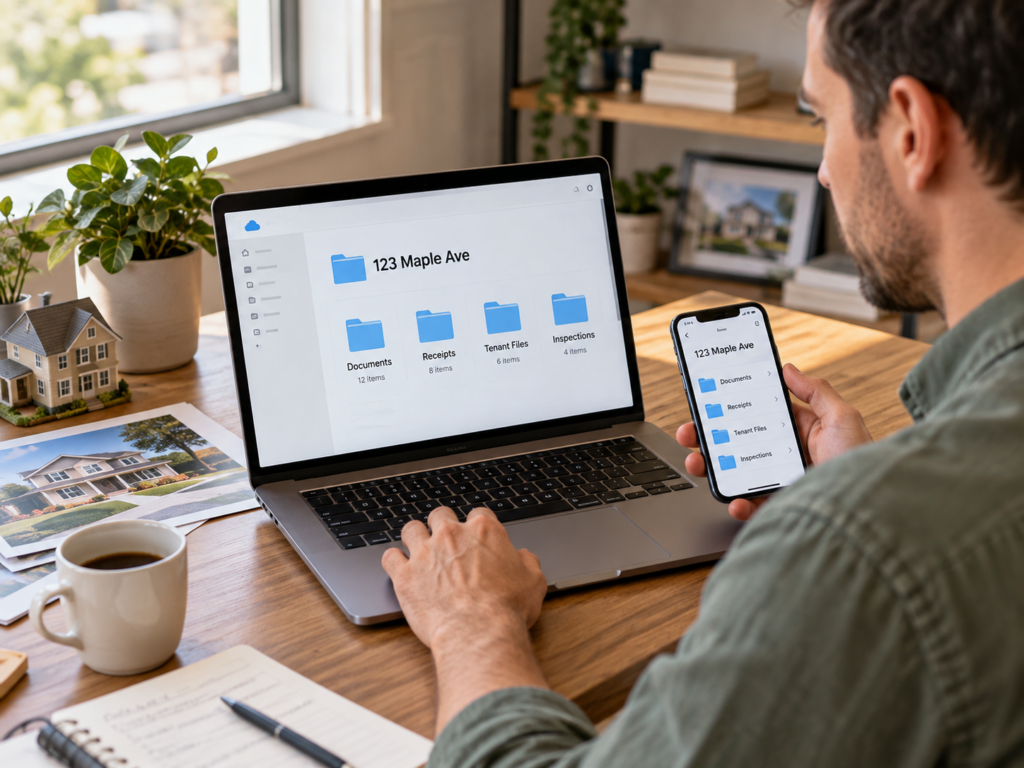
Cloud storage only helps if you can find what you saved. A folder full of leases, invoices, inspection photos, and random screenshots can become a digital version of the junk drawer surprisingly fast. For a small landlord, the solution is not complicated software. It is a repeatable folder structure. Whether you use Google Drive, Dropbox, OneDrive, or another service, every property should be organized the same way so you know where to look when a tenant, vendor, insurer, lender, or accountant needs something.
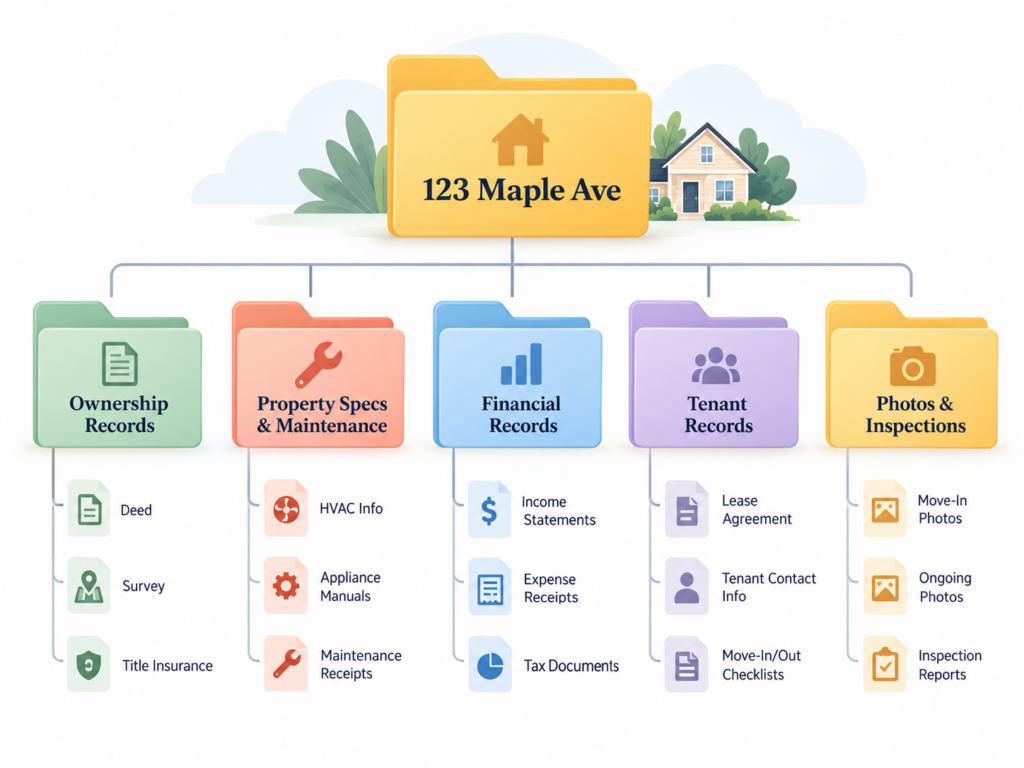
Start with one master folder for each property address. That keeps the complete history of the house together instead of splitting one property across separate lease, maintenance, tax, and photo folders. A landlord with homes in Dallas, Fort Worth, Arlington, Frisco, McKinney, Denton, or another North Texas market should be able to open the property address and immediately see the same basic set of subfolders every time.
The first folder should hold acquisition and ownership records. Save the closing statement, deed copy, title policy, survey, financing documents, and any other records that establish how the property was purchased and held. If the property is owned by an entity, store the relevant entity records where they can be retrieved without digging through an unrelated personal folder. These are not documents you open every week, but when you refinance, sell, question a boundary, or work with an insurer, you will be glad they are easy to find.
The second folder should be property specifications and maintenance. Think of it as the house manual. Store appliance model numbers, warranty information, HVAC records, water heater information, paint colors, flooring details, filter sizes, gate codes where appropriate, and recurring vendor notes. In North Texas, I would also keep records for irrigation work, drainage changes, roof repairs, foundation evaluations, freeze repairs, and any property specific maintenance that tends to repeat through long hot summers and occasional hard freezes. If an AC technician asks for the model number while you are across town, you should not have to drive to the property to answer.
The third folder should be financial records and receipts, organized by year. Save property tax statements, insurance policies, major repair invoices, capital improvement receipts, and other source documents that support the numbers in your accounting system. Your cloud folder is not a substitute for good bookkeeping, but it is where the paperwork behind the bookkeeping should live. When your accountant asks what made up a large repair total, you want the invoices ready instead of searching email attachments one at a time.
The fourth folder should be tenant records. Store the executed lease, addendums, condition documentation, notices, and important correspondence you need to retain. Be careful with sensitive applicant and tenant information. Limit access to people who actually need it, use the security features provided by your storage service, and avoid keeping unnecessary copies of sensitive documents simply because storage is cheap.
The fifth folder should be photos and inspections. Create dated subfolders for move in, periodic inspections, repairs, storm events, and move out. The date should be part of the folder name so the timeline is obvious. After a North Texas hailstorm, wind event, or hard freeze, for example, roof, fence, tree, plumbing, or exterior photos are much more useful if they are saved under the property and the date instead of left in a camera roll with hundreds of unrelated images.
The system only works if documents get filed while they are still easy to identify. When an invoice arrives, save it to the property folder. When you finish an inspection, upload the photos before the week gets busy. When a lease is signed, replace the unsigned draft with the executed copy or clearly label both. A ten minute filing habit is much easier than a two hour cleanup six months later.
The test is not whether your cloud drive looks organized. The test is whether you can find the exact document you need in a few minutes from your phone or computer. A consistent property folder gives a small landlord that ability without adding another piece of software to manage.